In this article, I am going to share some amazing prompts for Friendship Day. As we know, Friendship Day is celebrated every year; therefore, I have decided to provide new trending prompts through which you can easily create beautiful images and surprise your friends when you share such awesome images. One of the best parts of this editing is that you do not need any editing effort or time. In just a few steps, you can easily make your own photo. So, if you are really interested in making such images, then check out this entire article for better results.
Details of Friendship Day Prompt
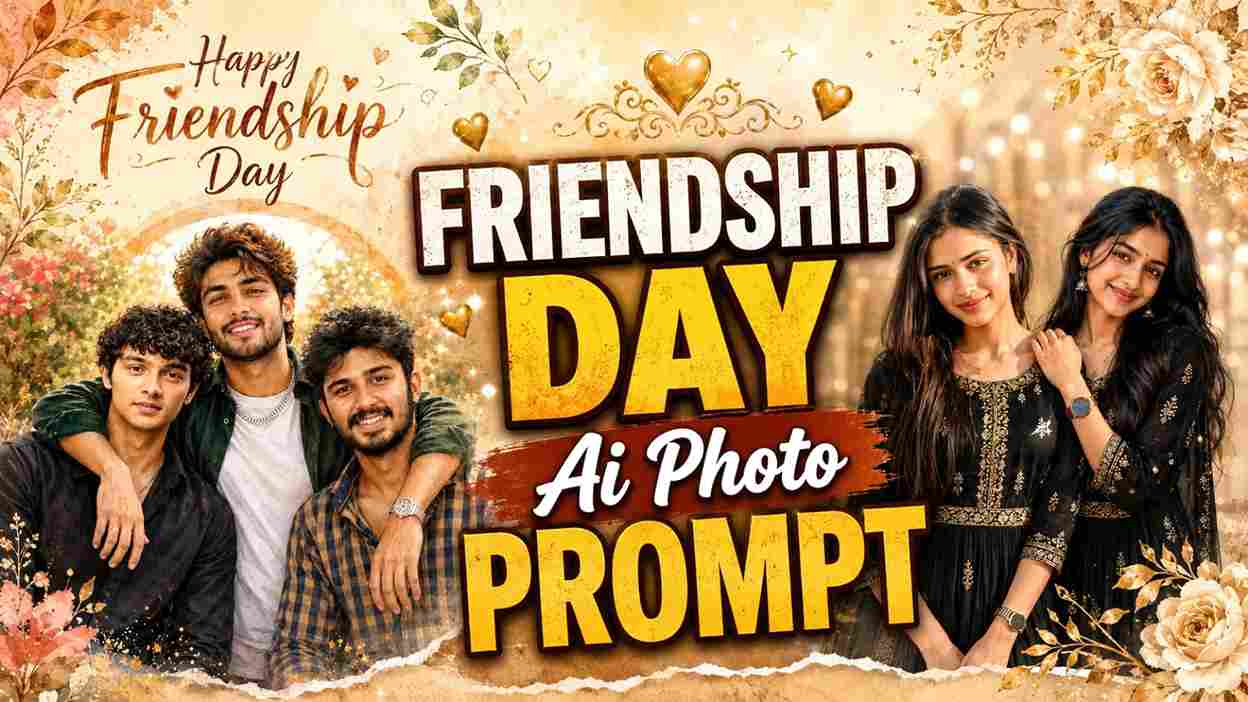
Friendship Day prompts are a simple and creative way to turn your normal photos into beautiful Friendship Day images using AI. These prompts include detailed instructions about the background, poses, outfits, lighting, colors, and overall style of the image. You just need to upload a clear photo of yourself and your friend, copy the given prompt, and paste it into an AI image generator like ChatGPT. Within a few moments, the AI can create an attractive Friendship Day photo for you. You can share the final image with your best friends on Instagram, WhatsApp, or other social media platforms.
Friendship Day Special Prompts
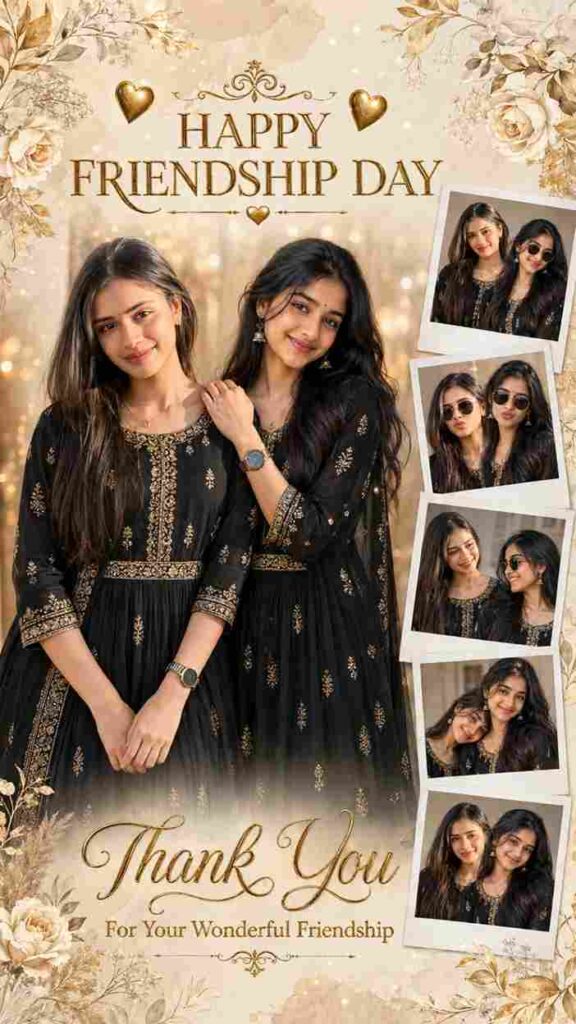
Use the uploaded reference photos as the ONLY identity reference. Preserve both women's exact facial identity, hairstyle, skin tone, facial features, facial structure, body proportions, age, and natural smile with 100% accuracy. Do not beautify, replace, or alter their faces.

Create an ultra-realistic, premium Pinterest-style Happy Friendship Day collage poster in a vertical 3:4 aspect ratio.

Design a luxurious vintage scrapbook layout with an elegant cream, champagne, and gold color palette. The background should feature soft watercolor paper texture, golden bokeh lights, floral corner decorations with ivory roses, beige leaves, delicate ornamental flourishes, subtle sparkles, and a premium greeting-card aesthetic.

Centerpiece:
A large full-length portrait of the two friends standing side by side, smiling warmly at the camera. One friend gently places her hand on the other's shoulder. Both wear matching elegant black ethnic Anarkali dresses with intricate antique gold embroidery, three-quarter sleeves, matching wristwatches, delicate jewelry, and natural makeup.

Right Side:
Arrange five realistic Polaroid-style photo frames stacked vertically with slight overlapping and natural shadows.

Polaroid 1:
Standing together smiling naturally.

Polaroid 2:
Both wearing stylish sunglasses with fun expressions.

Polaroid 3:
Looking at each other and laughing naturally.

Polaroid 4:
One friend resting her head on the other's shoulder while smiling.

Polaroid 5:
Classic smiling portrait looking directly at the camera.

Each Polaroid should have realistic white borders, subtle paper texture, soft shadows, and authentic instant-photo print quality.

Top Typography:
Large luxury serif gold text:

"HAPPY
FRIENDSHIP DAY"

Decorate with elegant gold hearts, ornamental dividers, and vintage flourishes.

Bottom Typography:
Large flowing golden calligraphy:

"Thank You"

Below it write:

"For Your Wonderful Friendship"

Use elegant serif typography with subtle gold foil effect.

Lighting:
Soft warm golden studio lighting, luxury editorial photography, creamy highlights, realistic shadows, cinematic glow, premium bokeh.

Camera:
Sony A1, 85mm GM lens, f/1.8, shallow depth of field.

Color grading:
Warm champagne gold, beige, ivory, bronze, luxury wedding aesthetic.

Quality:
Ultra-realistic, 8K HDR, hyper-detailed, professional portrait photography, realistic fabric texture, natural skin texture, glossy print finish, premium Pinterest aesthetic, masterpiece, award-winning photography.

Most important requirement:
Maintain 100% facial identity consistency from the uploaded reference photos in every portrait and every Polaroid frame.
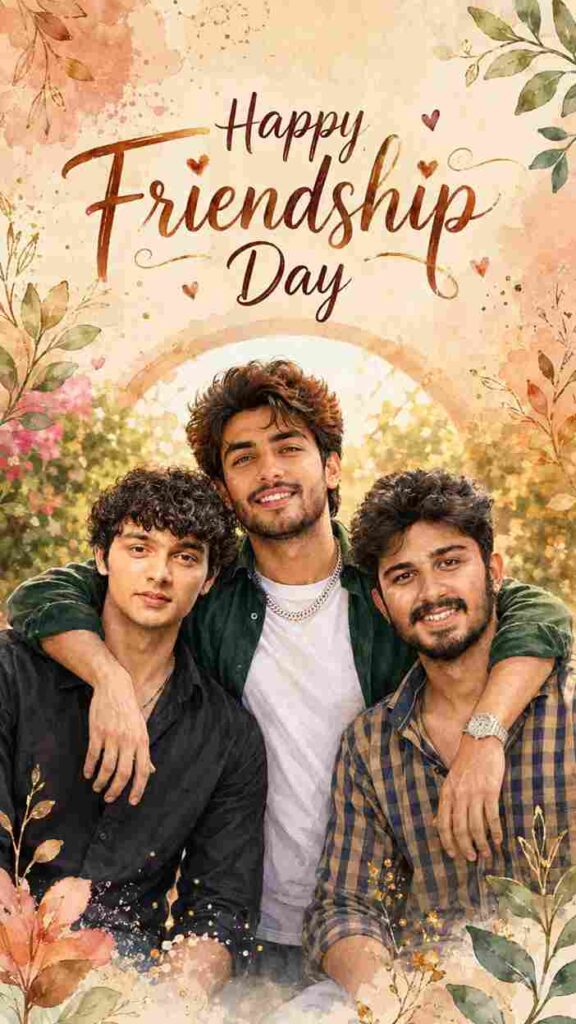
Use the uploaded group photo as the exact face reference. Keep all 3 friends recognisable, with the same faces, hairstyles, skin tones, outfits and exact number of people.

Create a premium hand-painted watercolour Friendship Day poster in vertical 9:16. Show the friends closely hugging and smiling in the lower half.

Use an elegant ivory, peach and terracotta textured background with a soft glowing arch behind them, blurred garden foliage, delicate leaves, small flowers, subtle golden branches, paint splashes, hearts and sparkles. Keep it clean, layered and premium.

Add at the top:

"Happy Friendship Day"

Warm golden lighting, pastel earthy colours, detailed faces, clean hands, premium Instagram Story composition. No extra people, changed faces, distorted bodies, clutter or unreadable text.
How to Create AI Images Using ChatGPT?
Creating AI images using ChatGPT is very easy and does not require any professional editing skills. First, open the Play Store or App Store on your phone, search for ChatGPT, and install the app. You can also use the ChatGPT website, but I personally recommend the app for a smoother experience. Once installed, open ChatGPT and sign up or log in using your Google account. After logging in, tap the plus (+) icon, select the Photos option, and upload a clear selfie or photo of yourself. Next, copy the AI photo prompt provided below, paste it into the chat box, and tap the Send button. Wait for a few moments while ChatGPT generates your image. Once your AI photo is ready, save it to your phone and share it with your friends on Instagram, WhatsApp, Facebook, or any other social media platform.
Why Do People Prefer AI for Image Creation?
People prefer AI for image creation because it makes the entire process fast, simple, and creative. In the past, creating professional-looking photos required editing skills, expensive software, and a lot of time. With AI tools, anyone can create attractive images by simply uploading a photo and entering a suitable prompt. AI can quickly change backgrounds, outfits, lighting, poses, and overall visual styles without requiring manual editing. It is especially useful for creating trending social media photos, festival posters, portraits, and creative designs. This saves time and allows beginners to create impressive images with very little effort.
Final Words
Friends, in this article, I have shared a simple way to create special Friendship Day AI photos using trending prompts. I have also explained the complete process of generating AI images with OpenAI ChatGPT and Google Gemini AI, so you can easily create your own photos without needing any editing skills. I hope this guide makes the entire process easier for you and helps you create beautiful Friendship Day images without any difficulty. If you face any problems while creating your photos, feel free to share your questions in the comment section or reach out to me through my social media platforms.