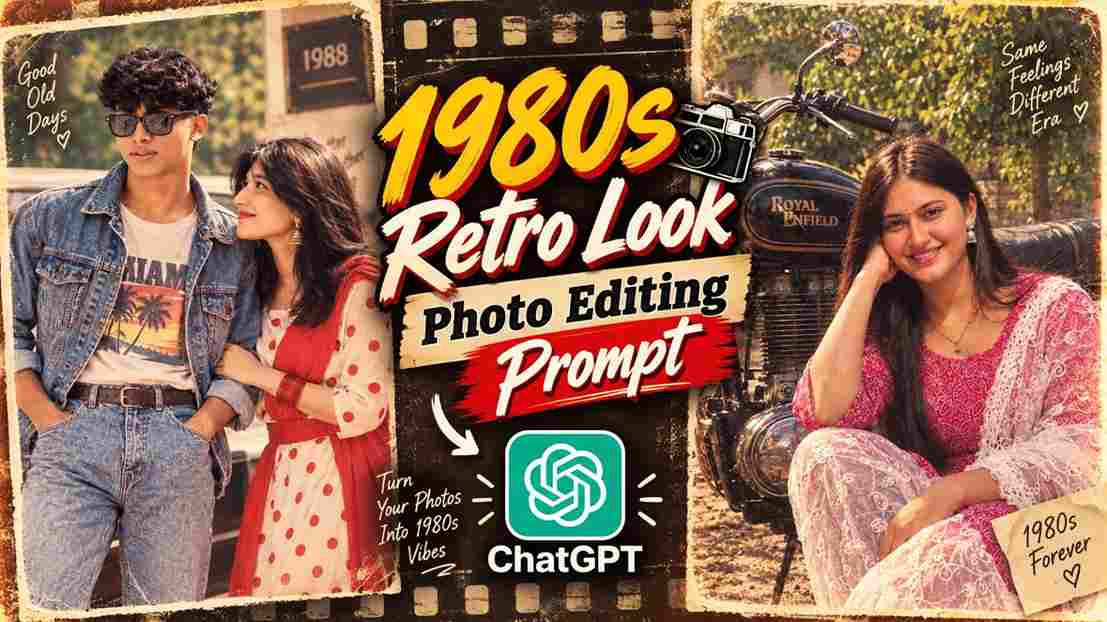
The 1980s retro photo trend is getting popular again, and many people are using AI to see how they might have looked during that classic era. With the right prompt and a clear reference photo, you can give your modern picture an authentic 1980s vintage makeover. AI can add period-style clothing, hairstyles, accessories, warm lighting, faded colors, and an old-camera feel while keeping your original appearance recognizable. If you enjoy vintage photography and nostalgic styles, this trend is a fun way to experiment with your photos and create something different for your social media posts. You can also try different outfits and backgrounds to create your own retro version.
What Is the 1980s Retro Look AI Photo Prompt?
The 1980s Retro Look AI Photo Prompt is a detailed instruction that helps an AI image editing tool transform a regular photo into a vintage-style portrait inspired by the 1980s. The prompt can describe the clothing, hairstyle, lighting, colors, camera quality, background, and other details associated with that period. You can use your own photo as a reference and ask the AI to keep your facial identity and important features consistent. The aim is to make the final image feel like an authentic photograph from the 1980s rather than a modern picture with a basic vintage filter. This makes the result more realistic and visually interesting.
1980s Retro Look AI Photo Editing Prompt
Use the following prompt with your clear reference photo:
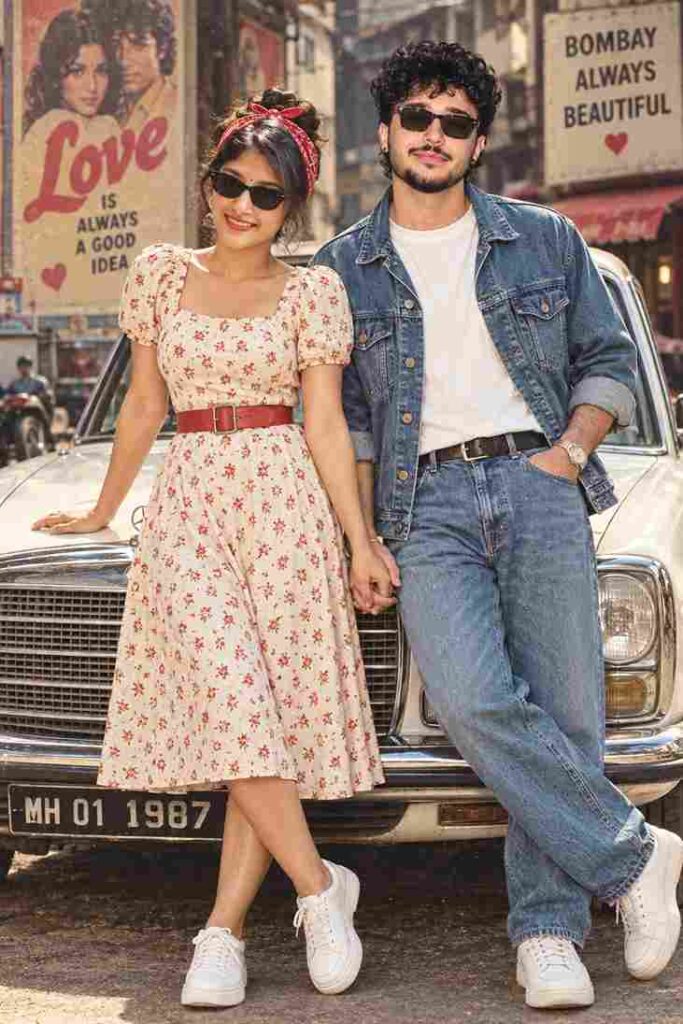
Ultra HD 8K photorealistic retro 80s couple front pose looking directly at camera smiling -- woman front facing beautiful smile teeth visible red lipstick black cat-eye sunglasses off-white midi dress red small floral print puff short sleeves square neck red leather belt waist red bandana headscarf on hair bun white sneakers left hand on white vintage car right hand holding man's hand legs crossed -- man front facing curly mullet hair mustache black sunglasses.4:6
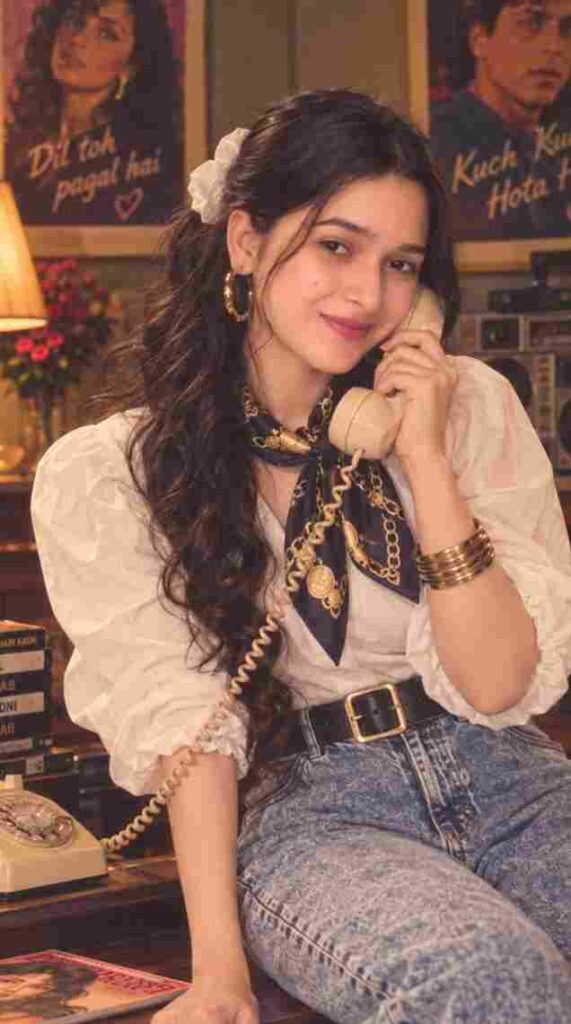
Ultra-realistic cinematic 1990s Bollywood-inspired retro portrait of a young Indian woman sitting comfortably beside a vintage wooden table in a cozy old-fashioned room. She is holding a cream-colored vintage rotary landline telephone receiver to her ear with one hand and smiling softly toward the camera. She has long, naturally wavy dark brown hair styled in a voluminous half-up hairstyle with loose curls cascading over one shoulder, subtle strands framing her face, delicate gold hoop earrings, stacked thin gold bangles, and a navy-blue silk neck scarf with an ornate gold paisley pattern tied loosely around her neck. She wears a crisp oversized white button-up shirt with rolled-up sleeves, high-waisted light-blue vintage relaxed-fit jeans, and a wide black leather belt with a large gold rectangular buckle.

The room has a warm nostalgic 1980s–1990s Indian atmosphere, with wooden furniture, a classic table lamp with a cream pleated shade, vintage books and magazines on the table, an old telephone base, decorative plants, framed artwork, and classic Bollywood movie posters visible on the wall in the background. Warm tungsten lighting, soft golden highlights, subtle film grain, authentic vintage color grading, shallow depth of field, realistic skin texture, natural facial features, cinematic composition, candid editorial photography, highly detailed hair and fabric textures, 35mm film photography aesthetic, soft shadows, atmospheric depth, photorealistic, premium fashion editorial look.

Composition: vertical 9:16 portrait, seated three-quarter pose, medium-full body framing, camera at eye level, subject sharply in focus, background naturally blurred but recognizable, elegant relaxed expression, realistic proportions, cinematic depth of field, no text overlays, no watermark.
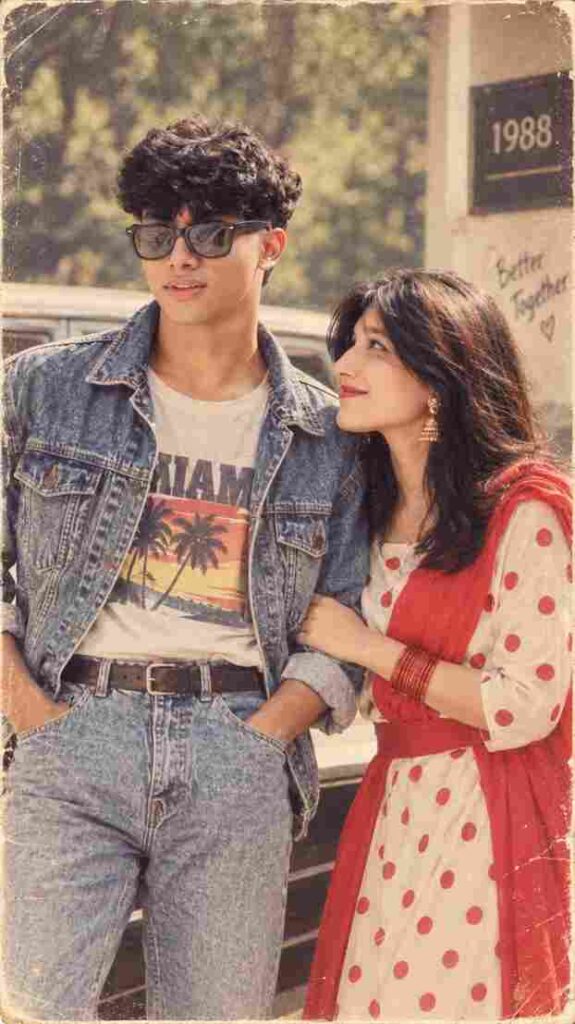
Transform my uploaded photo into an authentic 1980s retro look. Keep my exact face, facial features, skin tone, expression, body shape, and identity completely unchanged. Do not alter, replace, beautify, or distort my face. Add realistic 1980s hairstyle, vintage fashion, classic accessories, warm analog lighting, faded colors, subtle film grain, soft focus, natural shadows, and an authentic old-camera aesthetic. Make the image look like a genuine photograph taken in the 1980s, while preserving my original appearance accurately.
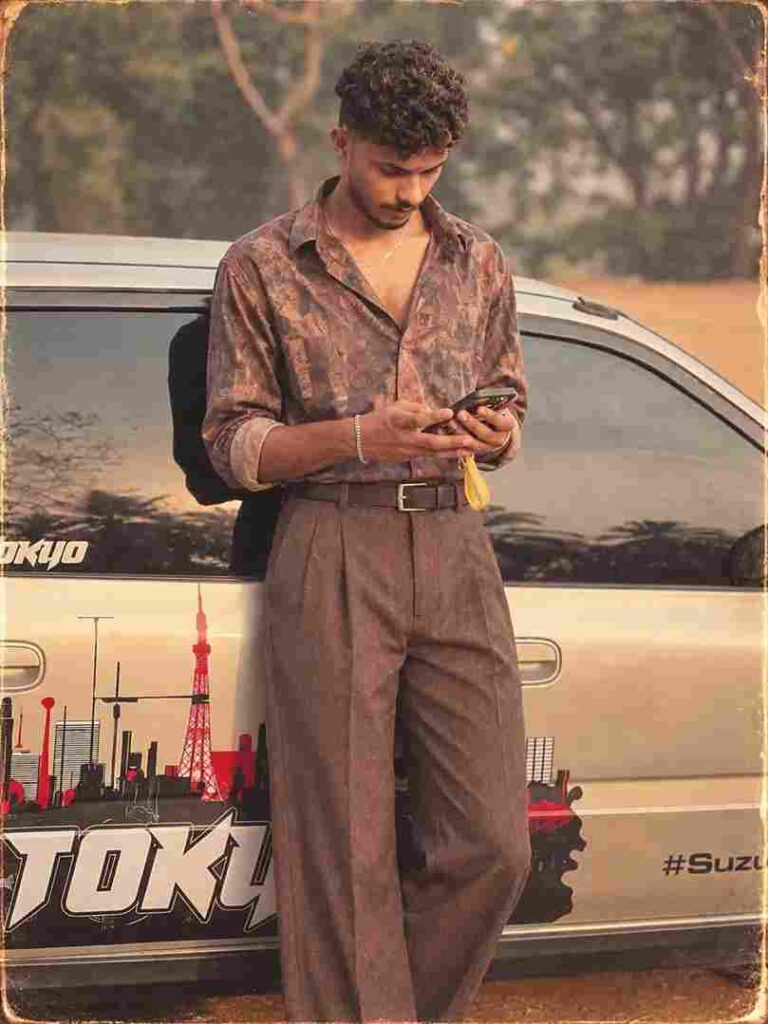
Use the uploaded photo and recreate the same person as if photographed in India in the late 1980s. Preserve the face, skin tone, body shape, smile and overall identity very accurately. Style them in a fashionable 80s outfit like high-waisted jeans, printed shirt/denim jacket, retro accessories and voluminous hair. Use a realistic Indian college/home/street background with warm faded film colors, grain, soft focus and a vintage 1988 photo feel
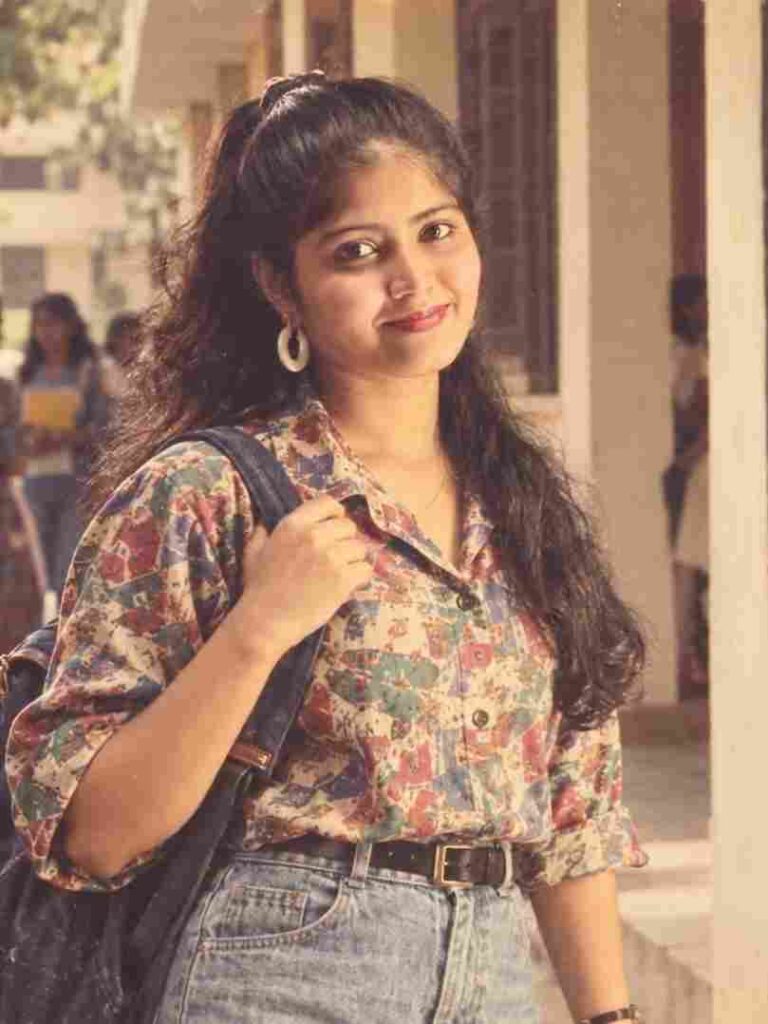
Use the uploaded photo as the primary reference and recreate the same person as if they were photographed in India in the late 1980s. Preserve their exact facial features, face shape, skin tone, body shape, smile, expression, and overall identity with maximum accuracy. Do not alter, beautify, replace, or distort the face. Style them in authentic 1980s Indian fashion, such as high-waisted jeans, a printed shirt or denim jacket, retro accessories, and voluminous 80s-inspired hair while keeping their natural appearance. Place them in a realistic Indian college, home, or street setting. Add warm faded film colors, natural analog lighting, subtle film grain, slight softness, realistic shadows, mild color fading, and authentic vintage camera characteristics. Make the final image look like a genuine 1988 photograph rather than a modern photo with a filter.
How to Create a 1980s Retro AI Photo
Creating your own 1980s-style photo is simple when you have a suitable reference image and a clear prompt. Start by choosing a photo where your face and overall appearance are clearly visible. Open an AI photo editing tool that supports image uploads and add your selected photo. Next, copy and paste the 1980s Retro Look AI Photo Editing Prompt provided above. Generate the image and wait for the result. Once the image is ready, carefully check your face, hairstyle, clothing, hands, and overall appearance. If something does not look right, make small changes to the prompt and generate another version until you achieve a retro style that you are happy with.
Use a Clear Reference Photo
A good reference photo can make the editing process much easier. Choose an image with a clear face, good resolution, and natural lighting so the AI can understand your features properly. Avoid using extremely blurry or heavily edited photos because important facial details may not be clear enough. If you want the final image to look like you, select a photo where your face is easily visible. A simple portrait can work especially well because it gives the AI clear information about your appearance. Once the reference image is selected, the prompt can focus on changing the visual style and creating an authentic 1980s atmosphere.
Create an Old Camera Effect
The photography effect is another important part of the 1980s look. Modern digital photos are usually very sharp and clean, while older photographs often have softer details, subtle grain, slightly faded colors, and natural imperfections. Adding these characteristics can help the AI create a more believable vintage photograph. You can use details such as analog film grain, soft focus, warm lighting, faded colors, natural shadows, and old-camera texture. Try to keep these effects subtle rather than making the image extremely blurry or heavily filtered. A balanced combination of texture and color can make the final image look like an actual photograph captured with an older camera.
Keep Your Face Unchanged
If you want to see how you might have looked in the 1980s, preserving your original facial identity is important. Clearly instruct the AI not to change your face, facial structure, skin tone, expression, or recognizable features. The transformation should mainly focus on the hairstyle, clothing, accessories, lighting, colors, background, and vintage photography style. After generating the image, inspect the face carefully and compare it with your reference photo. If the AI changes your appearance too much, strengthen the instructions about preserving your original identity and try again. This can help create a retro transformation that still looks like the same person.
Final Words
The Trending 1980s Retro Look AI Photo Prompt 2026 is a creative way to give your regular photo a classic vintage transformation. With a clear reference image and a detailed prompt, you can recreate the feel of an old photograph using retro fashion, period hairstyles, analog lighting, faded colors, film grain, and an old-camera appearance. The key is to keep your instructions focused and carefully review the generated result. You can experiment with different styles, backgrounds, and outfits while keeping your facial identity consistent. I hope this guide helps you create your own 1980s retro photo and enjoy the nostalgic look.