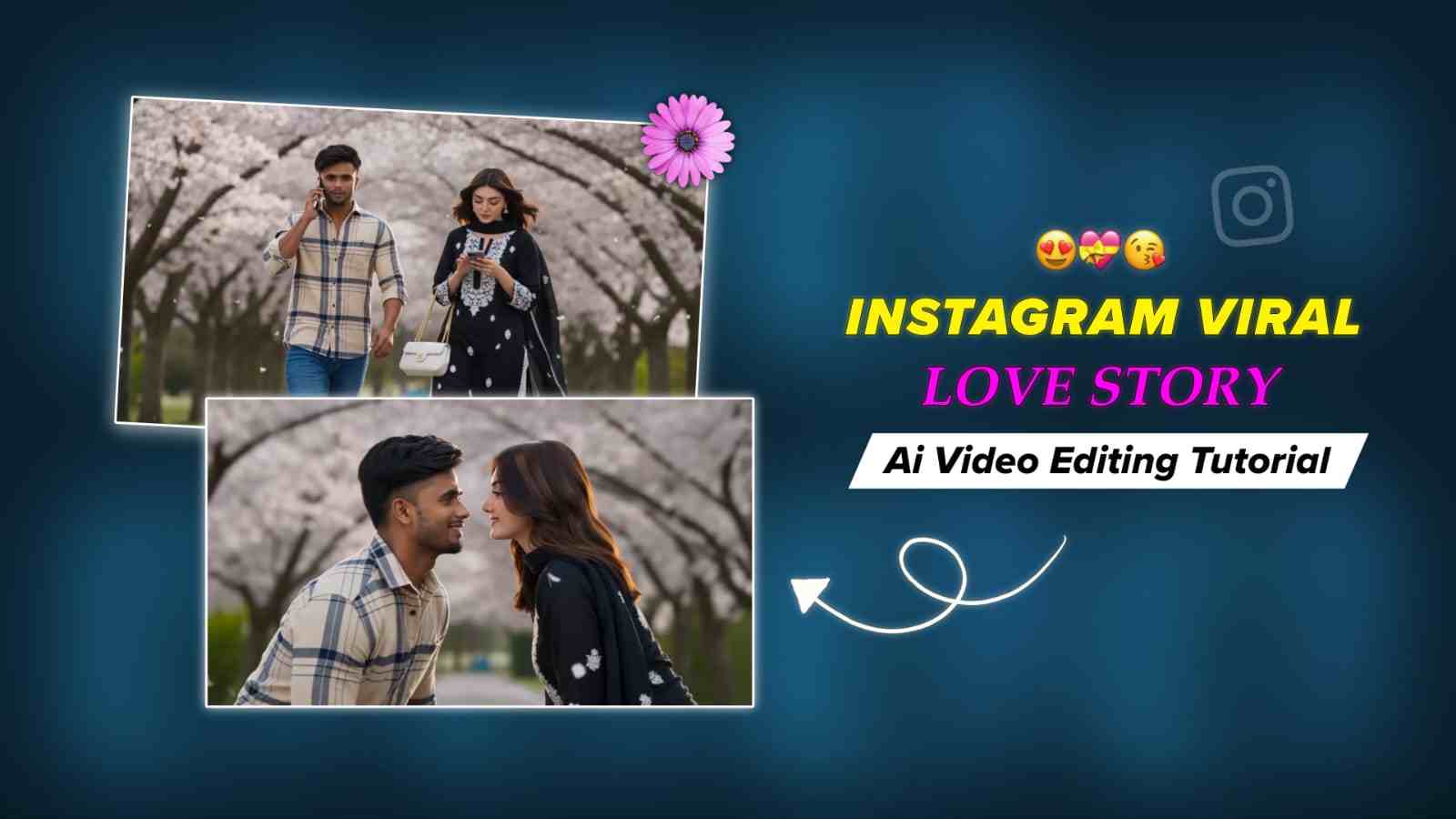
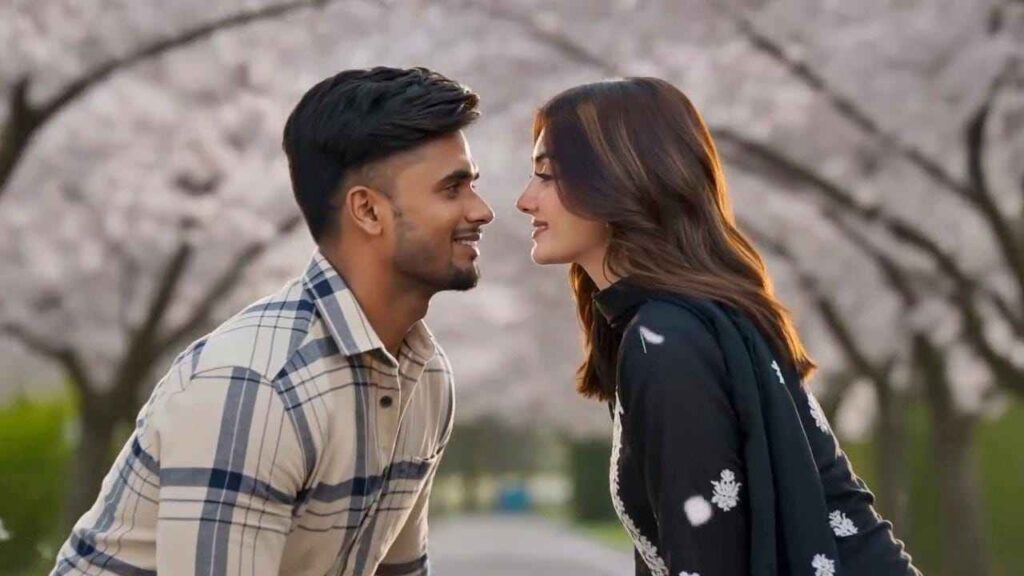
The Viral Couple Love Story AI Video Editing Prompt is becoming a popular trend on Instagram Reels and other social media platforms. In this romantic AI video, a boy looks at his watch before a cinematic car transition reveals his girlfriend or crush. As soon as he sees the girl, his reaction creates a beautiful love-at-first-sight moment that makes the video attractive and emotional. The trending “Pal Pal” song by Talwiinder playing in the background adds a romantic vibe to the reel. If you also want to create this viral couple AI video, keep reading to learn the complete process.
Details of Couple Love Story AI Video Editing Prompt
The Couple AI Video Editing Prompt provided below can be used with AI video generation tools such as Gemini or Flow AI. If you have the video generation option available in Gemini, simply upload your photos and use the provided prompt. Otherwise, open Flow AI, sign in to your account, and create a New Project. Upload a clear photo of yourself and another photo of your girlfriend, boyfriend, partner, or crush. After uploading both images, copy the Viral Couple Love Story AI Video Prompt given below, paste it into the prompt box, and start generating your cinematic romantic video.
Prompt for Couple Love AI Video Editing
FACE & COSTUME LOCK: Maintain both characters’ exact facial features, hairstyle, skin tone, proportions, and
outfit details consistently across all shots. No variation.
LOCATION:
Korean spring sidewalk with a brick-paved path under a dense cherry blossom canopy. Soft pink blossoms,
fresh green leaves, and scattered fallen petals. Black metal railing on the left, green hedge wall on the right.
Soft city buildings in the background. Clear blue sky visible through branches. Natural daylight environment
with soft spring atmosphere.
CHARACTERS:
Man — 24, athletic, South Asian skin tone. Beige & navy plaid long-sleeve shirt (rolled sleeves), blue jeans,
white sneakers. Short wavy dark hair, light stubble. Phone to right ear, walking casually, distracted, lips subtly moving.
Woman — 20, slim, South Asian skin tone. Mauve embroidered kurti with white floral detailing, white cropped
trousers, gold block heels. White chain-strap handbag on right arm. Long wavy hair, minimal makeup, bracelet.
Looking down at phone, scrolling while walking.
SCENE 1 — 0:00–0:03 | ESTABLISHING
Medium wide shot. Petals drift naturally. Man enters from left, on phone. Woman enters from right, focused on
screen. Both walk toward each other. Camera slow push-in. Light breeze moves hair, kurti hem, and petals.
SCENE 2 — 0:03–0:06 | COLLISION
Medium close-up. Soft shoulder collision. Man reacts, phone lowering. Woman startled, looks up. Her handbag
slips off in slow motion and falls. Brief pause. Insert low-angle: bag lands on bricks, a pink petal drifting beside it.
SCENE 3 — 0:06–0:10 | EYE CONTACT Both crouch together, reaching for the bag. Man’s phone forgotten.
Cut 1 — Extreme close-up: man’s eyes, surprised, natural matte look, no artificial light reflection.
Cut 2 — Extreme close-up: woman’s eyes, softening expression, natural look without eye light reflections.
Cut 3 — Slow pull-back to tight two-shot: faces close, quiet stillness. Petals drifting, her hair falls forward, his hand hovering near the bag. Smooth transitions.
SCENE 4 — 0:10–0:13 | BAG MOMENT Close-up: her hand (bracelet visible) lifts the handbag. A petal rests nearby. His hand slowly pulls back. Camera rises to faces — subtle shy smiles forming, natural skin tones, no artificial glow. His phone still loosely held.
SCENE 5 — 0:13–0:15 | END
Both stand slowly, holding eye contact. Soft, unspoken connection. Petals drift around them. Camera pulls
back revealing the blossom canopy. Clean natural light. Smooth fade to white.
STYLE:
Ultra-realistic 4K cinematic video. Natural daylight lighting (no exaggerated golden glow). No artificial eye
reflections or eye highlights. Balanced exposure, true-to-life colors, soft shadows. Shallow depth of field with gentle bokeh. Subtle slow motion, continuous drifting petals. Natural motion blur, slight handheld feel. No dialogue, no text. 16:9 aspect ratio. Duration: 15 seconds.
How to Make Video with Google Gemini
Please follow the simple steps given below to generate AI videos with Google Gemini.
- First, open the Play Store or App Store on your phone.
- Install the Google Gemini app for a better experience.
- Sign in or sign up with your Google account or email.
- Go to the Plus icon and select the Video option.
- Upload your image and your girlfriend’s or crush’s image.
- After uploading the images, paste the video prompt and send it for creation.
- After some time, your video will be ready.
- Now, import the video into any video editing app.
- Color grade the video, add your favorite music, and export it.
Conclusion
I have covered the Instagram-trending cinematic Couple Love Story AI video with the Pal Pal song. Guys, if you have seen this reel on Instagram and want to create the exact same video for your partner, then this post will be best for you. I have shared everything in detail, including how to use Flow and what you need to do. If you have read this full post, you will definitely be able to generate this AI video. In case you face any problems, you can tell me about them in the comment box.