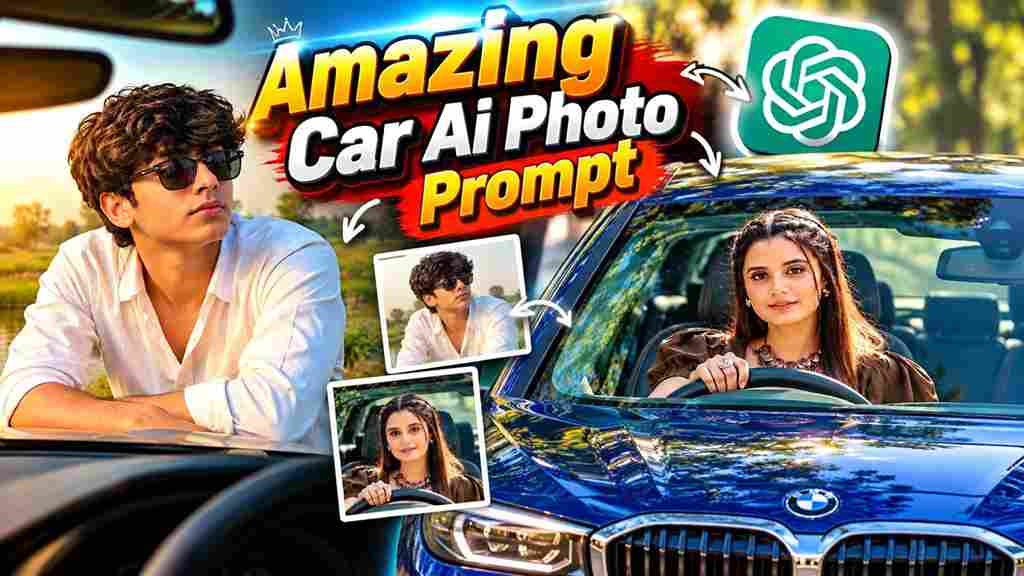
Latest Car AI Photo Editing Prompt 2026 is a great choice for anyone who wants to create stylish and realistic car photos using AI. With the help of tools like ChatGPT and Google Gemini, you can transform an ordinary photo into a premium automotive photoshoot featuring your favourite car, a stylish outfit, and an attractive background. You can create different looks, such as standing beside a luxury car, sitting on the bonnet, posing near a sports car, or capturing a cinematic night scene. The best part is that you can use your own photo as a reference and customize the car, location, lighting, and pose according to your preferences.
What Is Latest Car AI Photo Editing Prompt?
A Car AI Photo Editing Prompt is a detailed instruction that tells an AI image editor how to create or transform a car-themed photograph. Instead of simply asking the AI to add a car, you can describe the vehicle, its colour, your pose, clothing, background, camera angle, and lighting style. This helps the AI understand the complete scene you want to create. You can experiment with luxury SUVs, sports cars, classic vehicles, or modern sedans according to your preferred style. For better results, clearly mention which details should remain unchanged, especially your facial identity and the car’s important design features.
Latest Car AI Photo Editing Prompt 2026
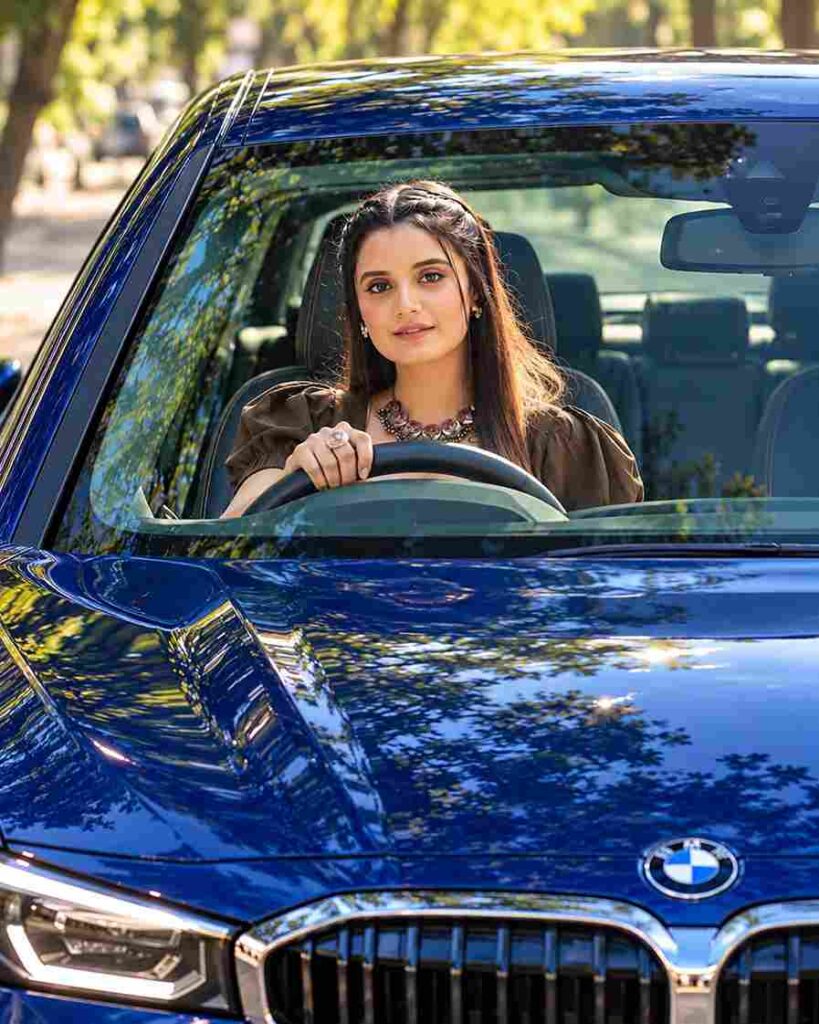
Create a vertical 4:5 portrait, front-angle exterior shot of a beautiful woman with long, silky dark brown hair, soft makeup, and glossy pink lips, sitting in the driver’s seat of a modern, glossy deep-blue luxury BMW car. She looks directly toward the camera through the front windshield with a gentle, confident smile, her right hand resting lightly on top of the steering wheel. Preserve realistic facial features, natural skin texture, and accurate proportions. The windshield features subtle teal-tinted reflections, enhancing the luxurious appearance of the vehicle. In the background, a sunny outdoor street with lush green trees and warm golden sunlight appears slightly blurred, creating natural depth of field. Use high-contrast digital photography, vibrant deep-blue tones, realistic reflections, crisp details, natural lighting, professional DSLR quality, and a clean, elegant composition.

A candid, high-quality photograph taken from inside a black Mahindra Thar SUV, featuring the same young woman from reference images 0 and 1 sitting in the driver’s seat. She looks directly at the camera with a confident expression, wearing dark sunglasses, a black button-down shirt, wide-leg light blue denim cargo jeans, and white chunky sneakers. Her long brown hair is styled casually. One hand rests naturally on the steering wheel. The interior features black leather seats with contrasting red stitching and an embroidered “THAR” logo on the headrest. The sunroof is open, allowing bright natural daylight to illuminate the scene. Maintain realistic skin texture, accurate proportions, natural shadows, authentic colors, and professional DSLR photography quality. Vertical 4:5 aspect ratio.
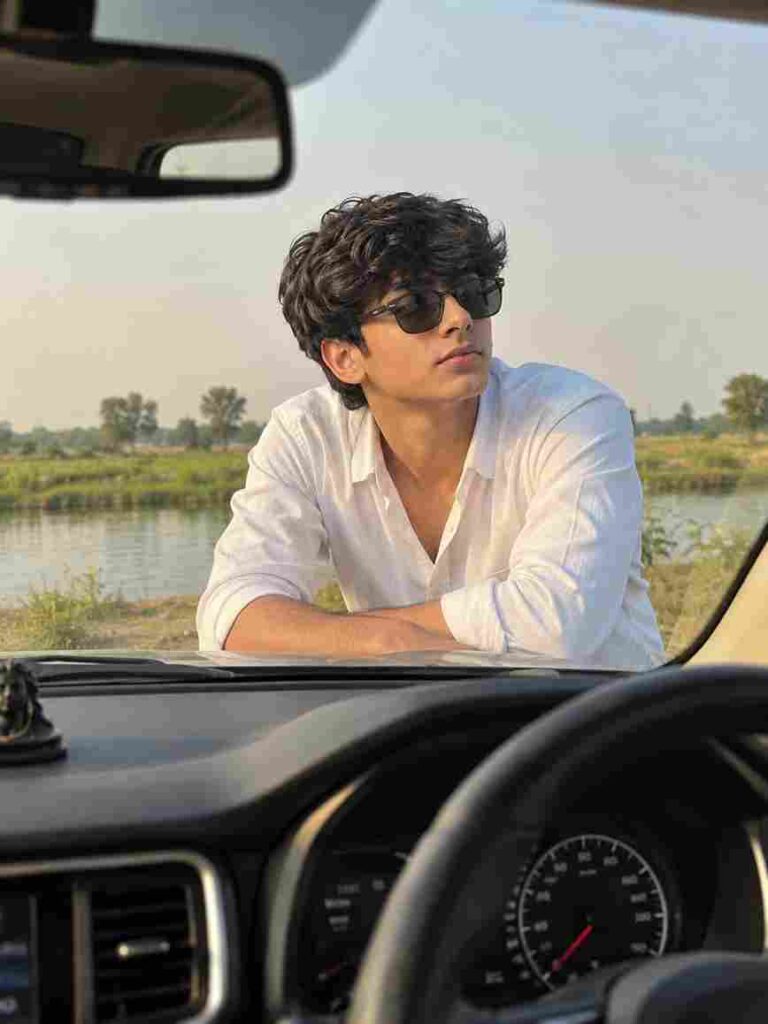
Use my uploaded reference photo as the ONLY identity reference and replace only the male subject in the target image. Preserve my exact face, hairstyle, beard, skin tone, facial features, natural body shape, and proportions without beautification or alteration. Dress me in a clean white shirt with realistic fabric folds and the exact same pants and sunglasses from my reference photo. Match the target image’s pose precisely, leaning naturally toward the car’s windshield with forearms resting near the hood, looking sideways with the same calm expression. Preserve the original right-hand-drive car interior, steering wheel, dashboard, rear-view mirror, windshield, rural landscape, pond, fields, trees, sky, lighting, shadows, colors, perspective, and composition. Maintain soft natural daylight, cinematic color grading, realistic skin texture, detailed hair, authentic fabric, and natural depth of field. Create an ultra-photorealistic DSLR photograph with no distortion or artificial effects. Vertical 3:4 aspect ratio.
How to Create Car AI Photos
Creating a car-themed AI photo is simple, even if you have no previous photo editing experience. First, choose a clear, high-quality photo where your face and hairstyle are visible. Open ChatGPT or Google Gemini and upload your photo to the image editing tool. Copy the Latest Car AI Photo Editing Prompt from this page and paste it into the prompt box. If you want a specific vehicle, replace the black luxury SUV in the prompt with your preferred car model and colour. You can also change the background to a mountain road, city street, modern parking area, or outdoor location. Generate the image, review the result, and adjust the prompt if the face, car details, or lighting need improvement.
Choose a Good-Quality Photo of Yourself
Choosing the right reference photo is important for getting realistic results with the Latest Car AI Photo Editing Prompt 2026. Use a clear, high-quality image where your face, hairstyle, and natural features are easily visible. Make sure the photo has good lighting and avoid blurry images, heavy filters, or pictures where your face is covered by sunglasses or other objects. For full-body car portraits, choose a photo that clearly shows your posture and outfit. If you want the AI to recreate a specific car, you can also upload a separate reference image of that vehicle. These simple tips can help the AI maintain your appearance and create a more natural-looking car photo.
Conclusion
The Latest Car AI Photo Editing Prompt 2026 makes it easy to experiment with stylish automotive photography using your own photo and an AI image editor. With a detailed prompt, you can create different looks featuring luxury cars, sports cars, attractive backgrounds, and cinematic lighting without manually editing every detail. Choose a clear reference image, describe your preferred scene, and customize the prompt according to your style. I hope this guide helps you create your own realistic car AI photo. If you face any problems while using the prompt, let us know in the comment box or on our social media page.