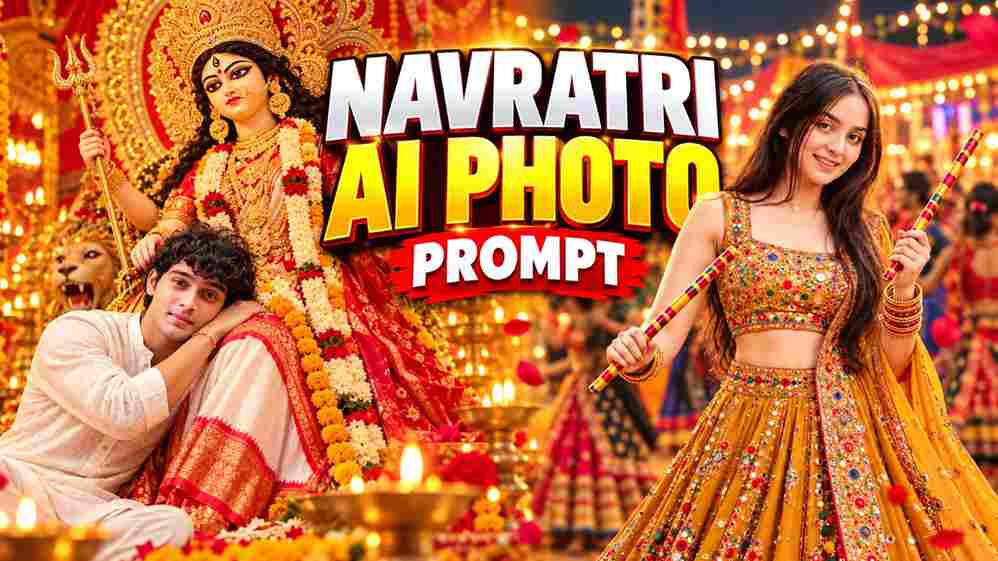
Friends, Navratri is the perfect time to create beautiful festive photos in traditional outfits and share them on Instagram, Facebook, and WhatsApp. If you want to transform your normal picture into a stylish Navratri look, you are in the right place. In this article, Vipul Squad brings you the Best Navratri AI Photo Editing Prompt 2026 to create realistic Garba portraits using AI tools like ChatGPT and Google Gemini. You can try colourful Gujarati outfits, traditional jewellery, Dandiya poses, and beautifully decorated Garba backgrounds without needing professional photo editing skills. Simply upload your photo, copy the prompt, and create your favourite Navratri look.
Best Navratri AI Photo Editing Prompt
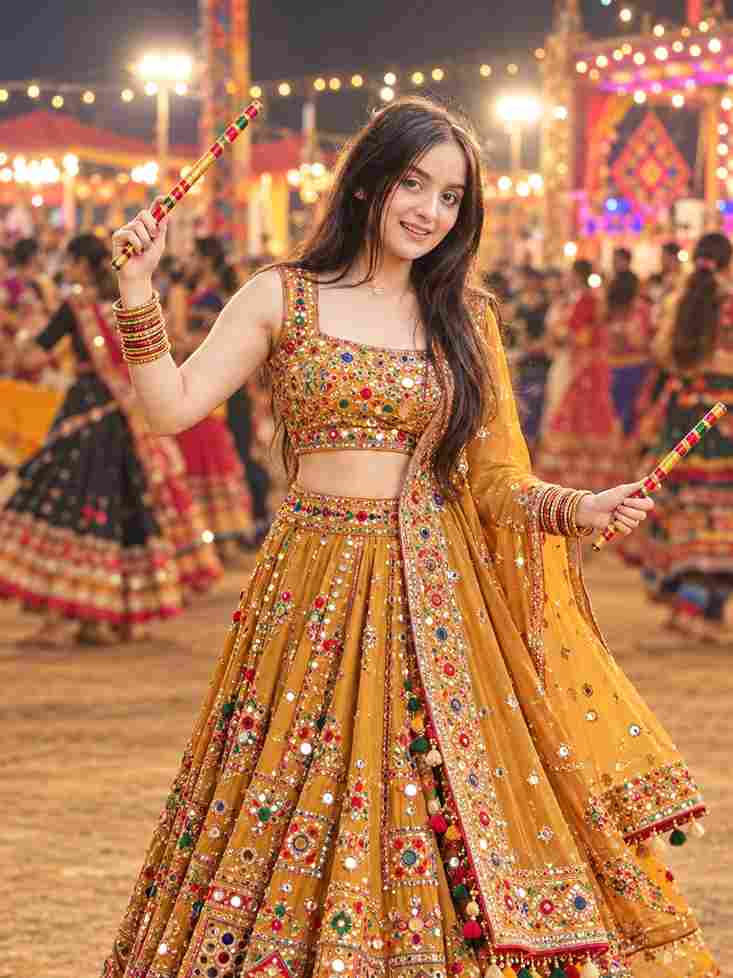
Create an ultra-realistic, photorealistic full-length portrait of a young Indian woman in an elegant Navratri/garba festive outfit, inspired by the reference image. Outfit: She is wearing a richly embroidered mustard-golden Gujarati chaniya
choli. The blouse is heavily decorated with colorful mirror work, tiny floral motifs, beads, sequins, and intricate traditional embroidery. It has a square neckline and sleeveless design.
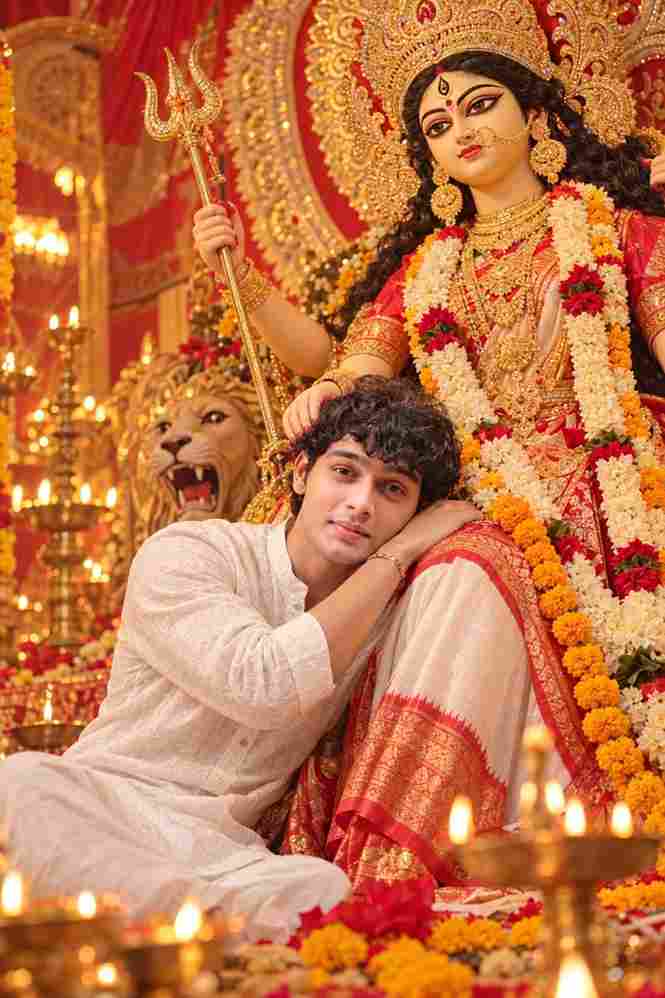
Create a highly realistic premium cinematic Indian devotional portrait using the uploaded real human photo as the primary identity reference. Preserve the person's exact facial identity, recognizable facial structure, face shape, eyes, eyebrows, nose, lips, jawline, hairline, beard/facial-hair pattern, natural skin tone and overall likeness. Do not replace the person with a different face. SCENE AND CONCEPT: Create a beautiful emotional Durga Puja devotional portrait inside an elaborately decorated traditional Indian puja pandal. The uploaded person is seated comfortably in the foreground, gently resting his head against the lap/side of a large traditional Goddess Durga idol or devotional Durga representation positioned behind him. The composition should feel peaceful, respectful, emotional, warm and spiritually uplifting. SUBJECT: Use the uploaded person's identity exactly. Show him as a young Indian man wearing a clean traditional white full-sleeve kurta/shirt with realistic cotton texture. Keep his naturalHow to Create a Navratri AI Photo
Creating a Navratri AI photo is simple, even if you have never used an AI image editing tool before. First, visit the Vipul Squad website and find this article. Copy the Navratri AI photo editing prompt provided above, then open ChatGPT or Google Gemini. Upload a clear photo of yourself and paste the copied prompt into the chat box. You can change the outfit colour, jewellery, background, or pose to create a personalized festive look. Finally, generate your image and check the result. If you want a different style, adjust the prompt and generate another version.
Tips for Getting the Best AI Photo Editing Results
For the best results, choose a clear photo in which your face is visible and well-lit. Avoid blurry images, heavy filters, and photos where your face is hidden. If you want a full-body Garba portrait, upload a full-length reference photo whenever possible. You can also experiment with red, yellow, green, blue, or multicoloured Gujarati outfits to create different festive styles. For a more attractive result, include details such as mirror-work embroidery, traditional jewellery, Dandiya sticks, and warm festive lighting in your prompt. Remember that AI-generated results may vary, so you might need to try a few versions to get the look you want.
Create Your Own Navratri Look with Vipul Squad
With these Navratri AI photo editing prompts, you can create unique festive portraits for your social media profiles, Instagram Reels covers, WhatsApp status, and festival posts. Try different traditional outfits, Garba poses, colourful backgrounds, and cinematic effects to make each photo look different. You can also use your favourite result as a festive profile picture or share it with friends and family. Visit Vipul Squad for more AI photo editing prompts, video editing ideas, CapCut templates, and VN templates.
Conclusion
I hope this Best Navratri AI Photo Editing Prompt helps you create a beautiful and realistic festive photo using your own picture. Simply copy the prompt from Vipul Squad, upload your photo to ChatGPT or Google Gemini, and customize the details to create your favourite Navratri look. Try different outfits, colours, and Garba backgrounds to make your photo more attractive. If you face any problems while creating your AI photo, let us know in the comment box or on our social media page. Happy Navratri, and enjoy creating your festive photos!